Tina2PlusV3 unboxing guide
Step 1:
Remove the 3D printer and accessories from the box.
① Open the box.
② Take out all accessories and the 3D
printer. Then, remove all protective packaging from the device.
Step
2:Remove all fixtures.
① First, remove the bubble wrap from the
printer.
② Then, peel off all the tapes securing the
parts.
③ Take off the sticker, and according to
the label to remove the shaft coupling shell .
④ Note: The TF card is already inserted
into the printer.
Step
3:Insert the tube, plug in the power and turn on it.
① Take out the filament tube, and insert
the tube into the extruder.
② Next, plug in the power cable.
③ Turn on the power switch.
Step
4:Insert the filament, and perform the loading operation.
① First, select your preferred language and
click "Load Filament".Then, follow the on-screen instructions.
② Take out the filament and place it on the
holder. Cut off the bent part of the filament to prevent clogs.
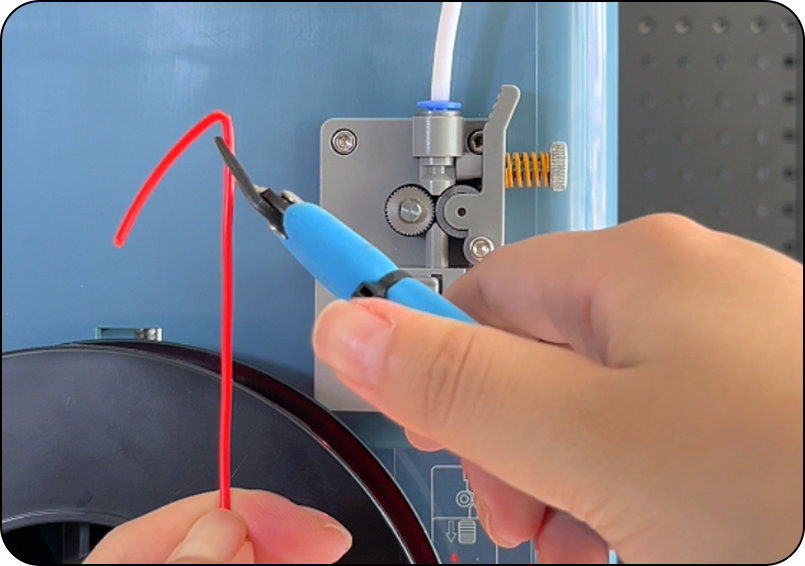
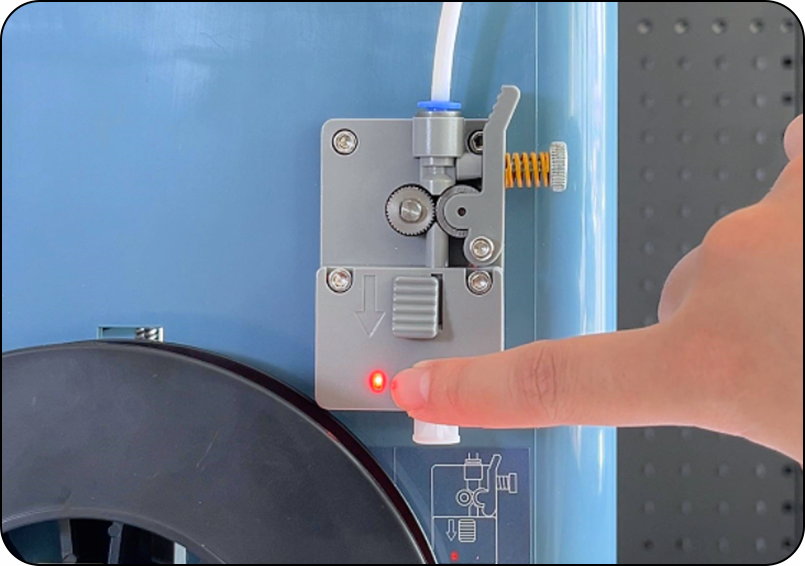
③ When there is no filament, the light will
turn on.
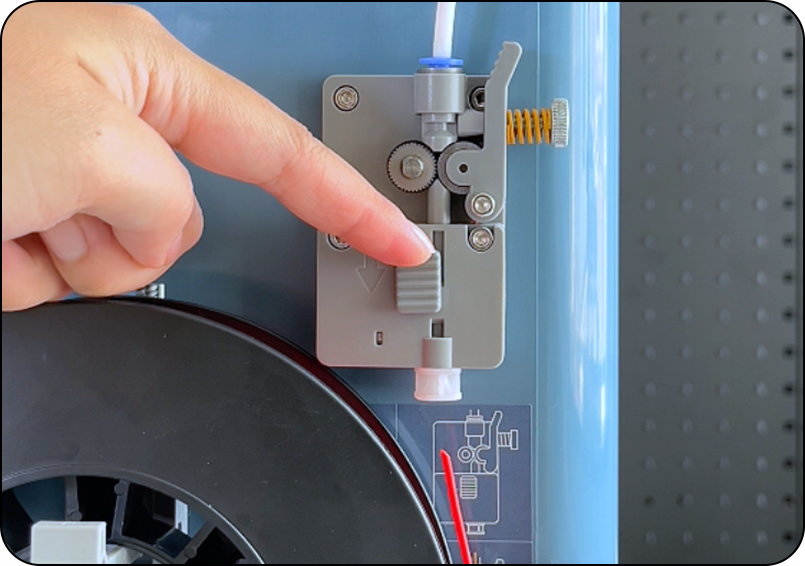
④ Press the filament lever and insert it. The
printer will automatically load about 5 cm of filament.
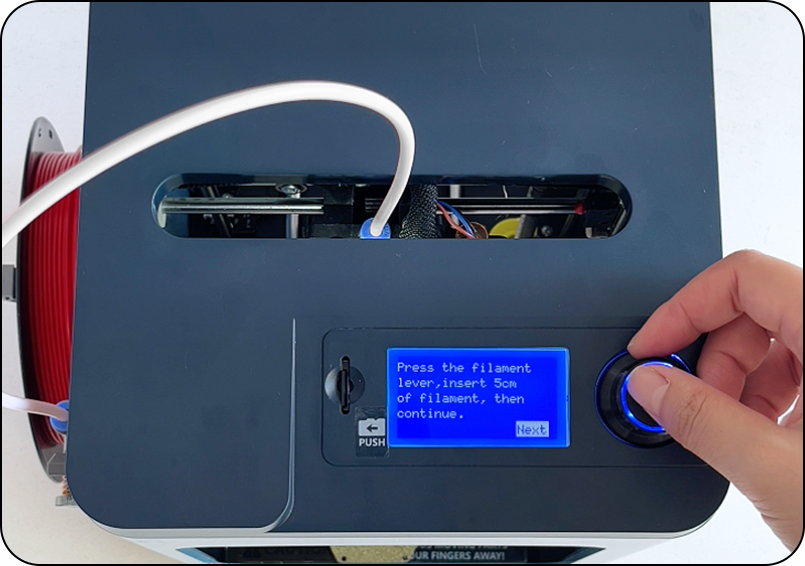
⑤ Click “Next” to continue. The machine
will heat up to 220 °C.
⑥ Then, the printer will automatically load
the filament into the nozzle and purge approximately 15 cm.
⑦ Once the nozzle is extruding filament
smoothly, you may press the knob to bypass the rest of the process.
Frequently Asked Questions:
1. Q: What should I do if the seal is damaged?
A: Please contact online support in the app, and our customer
service will assist you with after-sales support.
2. Q: What should I do if any accessories are missing?
A: Please contact online support in the app, and our customer
service will send you the missing accessories.
3. Q: Can I use third-party accessories with this product?
A: We recommend using only manufacturer-approved accessories
to ensure optimal performance and avoid damage.
4. Q: What happens if the tube is not inserted all the way?
A: The filament may get stuck in the tube when inserting it
into the extruder.
5. Q: What happens if the TF card is inserted incorrectly?
A: The TF card is pre-installed in the 3D printer. Inserting
it incorrectly or repeatedly removing and reinserting it may damage the TF card
or its slot. Always handle the TF card carefully when inserting it into the
printer or a USB card reader to avoid damage.
6. Q: What should I do if the filament is not coming out?
A: Check if the filament is jammed in the extruder or stuck in
the tube. Please reinsert the filament and ensure it is properly fed into the
nozzle.
Related Articles
Tina2Plus unboxing guide
Remove the 3D printer and accessories from the packaging box. ① Check the seal to ensure that you receive a new machine. ② Open the package and remove all accessories and the machine. Remove all fixtures inside the 3D printer then insert the filament ...Tina2Plus Wifi config guide
Scan the QR code to connect the 3Dprinter to the wireless network and register the device. ① Press the button,open the device's QR code. ② In Step 5, use the scanning feature to scan the QR code on the device. ③ Select your WiFi network and enter the ...